Screens down, paws out.
Turn every family walk into an outdoor adventure. Find Petlings in real parks together, with or without a pet (got one? it hatches a Petling of its own), in a safe family space where you hold the controls.
Free on iPhone and Android How we keep children safe →
- No pet needed
- No chat
- No strangers
- Parents in control
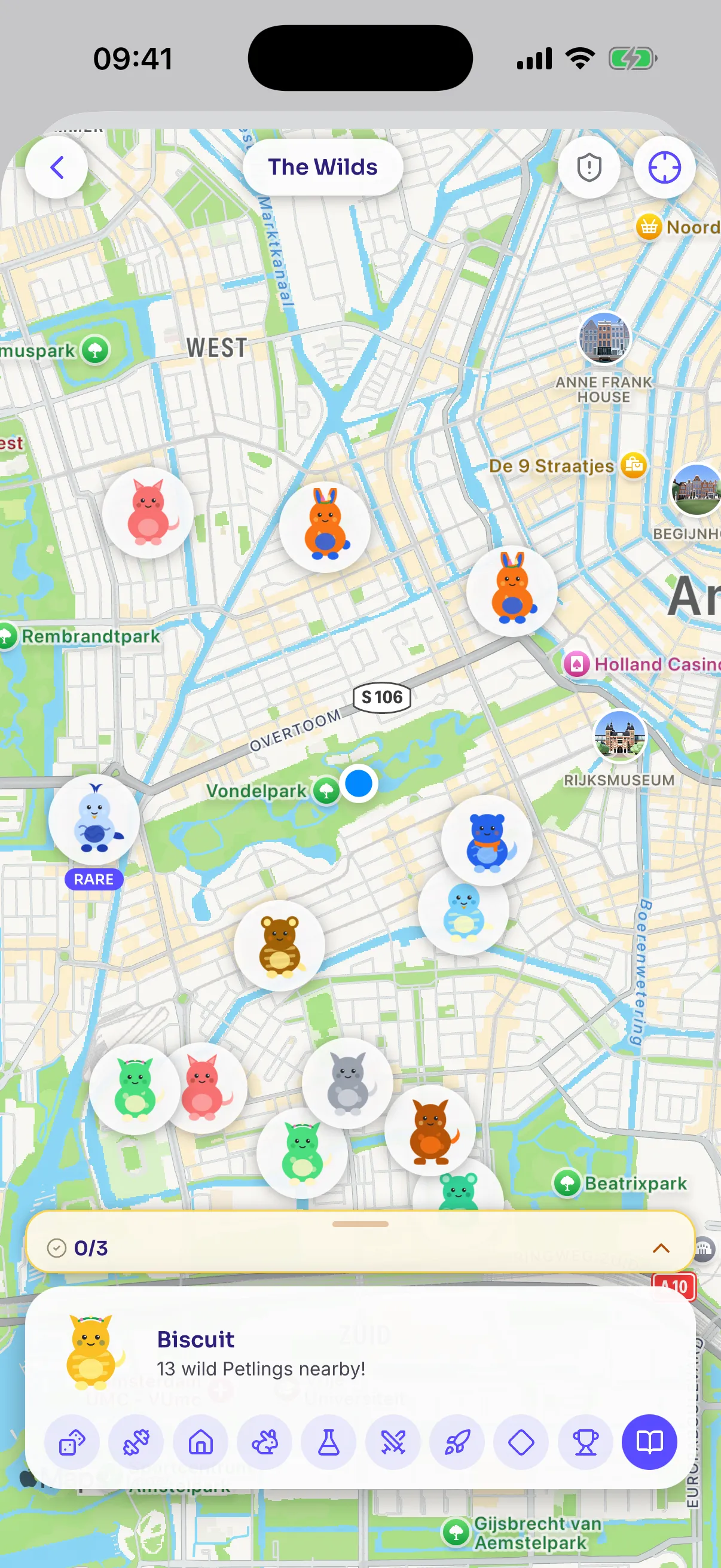
Safe by design
Adventure for them. Controls for you.
Children aged 6 to 17 join Petso only when a parent adds them. Their space is closed: the family, the pets, Petlings and the games — and nothing else.
-
No chat, no feed, no followers
Children can't message anyone, post, comment or follow people. There is no social side for them at all.
-
No strangers
Only their family — and Family Circles you choose to join — can play with them. Other families see a first name and weekly catches, never a photo, age or location.
-
You can see where they play
While they play, the family map shows you roughly where they are. They always see a notice that it's on, and old positions are deleted after 30 days.
-
Your rules
Set play hours and a daily limit, choose which games are on, or pause Petso with one tap. No phone alerts reach them outside their play hours.
-
No money, no ads
Children can't see or spend money. Anything their play earns goes into a family pot that only parents can see and collect.
-
Safer places to play
Petlings don't appear at schools, childcare or homes, and anyone can report a place that doesn't feel safe.
The details: Terms for families · Privacy for children
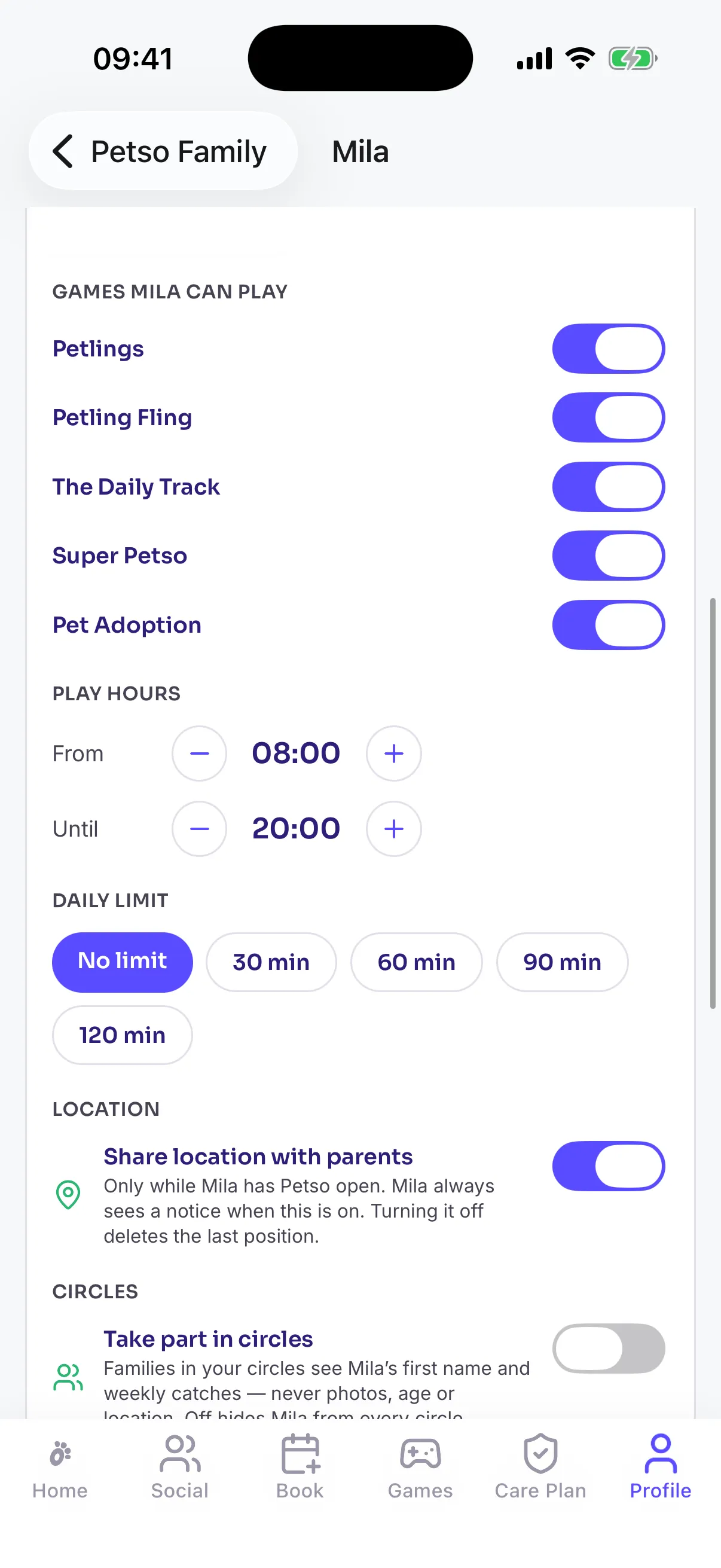
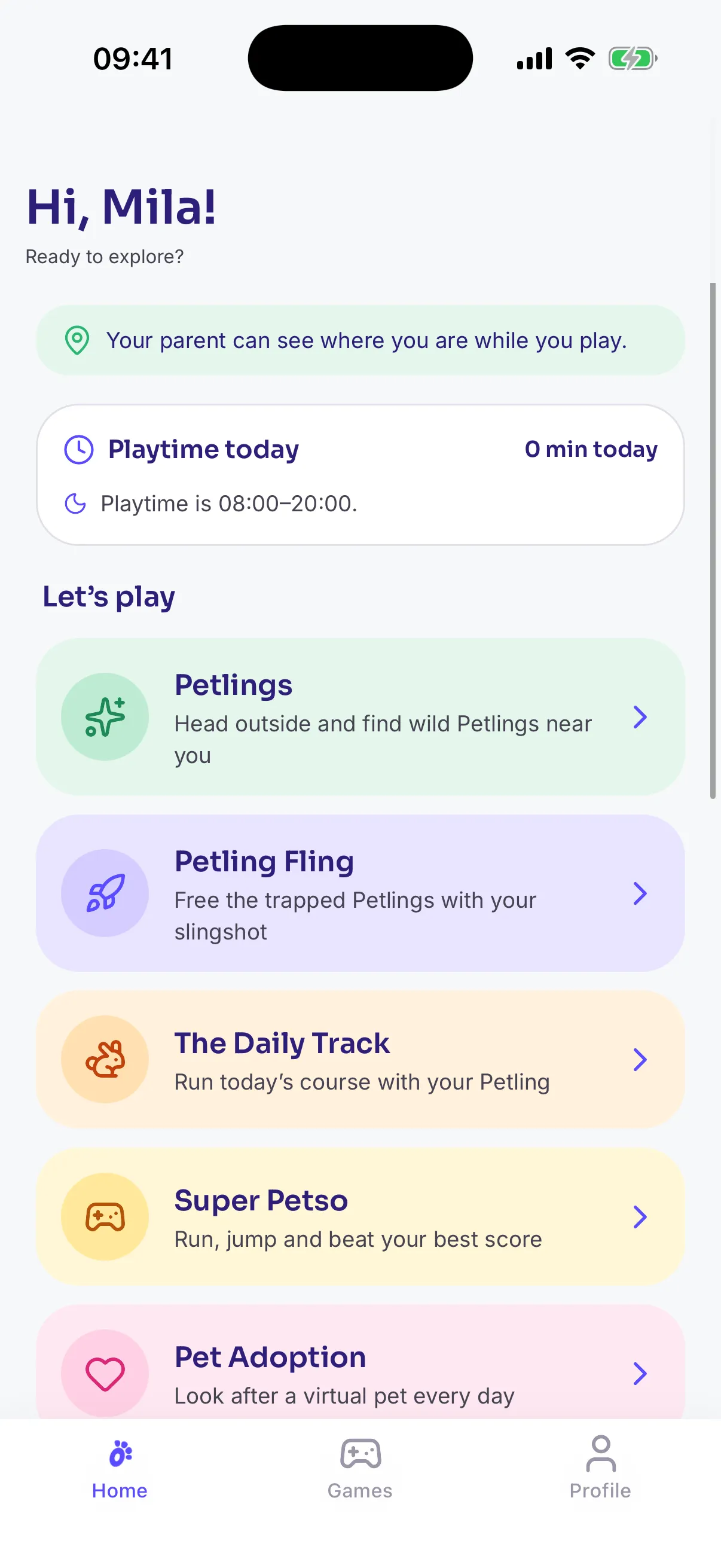
Set up in three minutes
Adding your child takes three steps.
From the Petso app or app.petso.io. No email or password for your child.
- 1
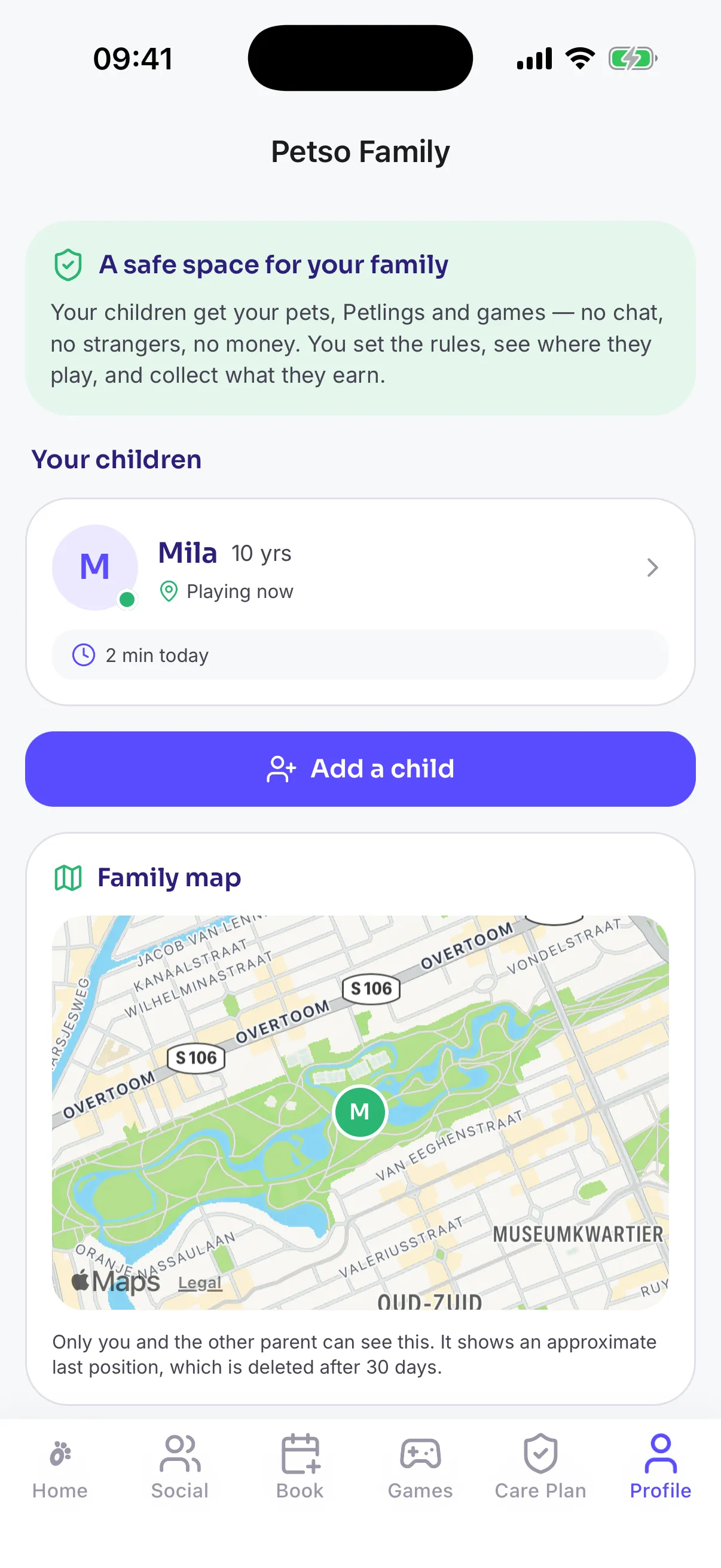
Add your child
Go to Family and add your child's first name or nickname and birth year. Children from 6 to 17 can join.
- 2
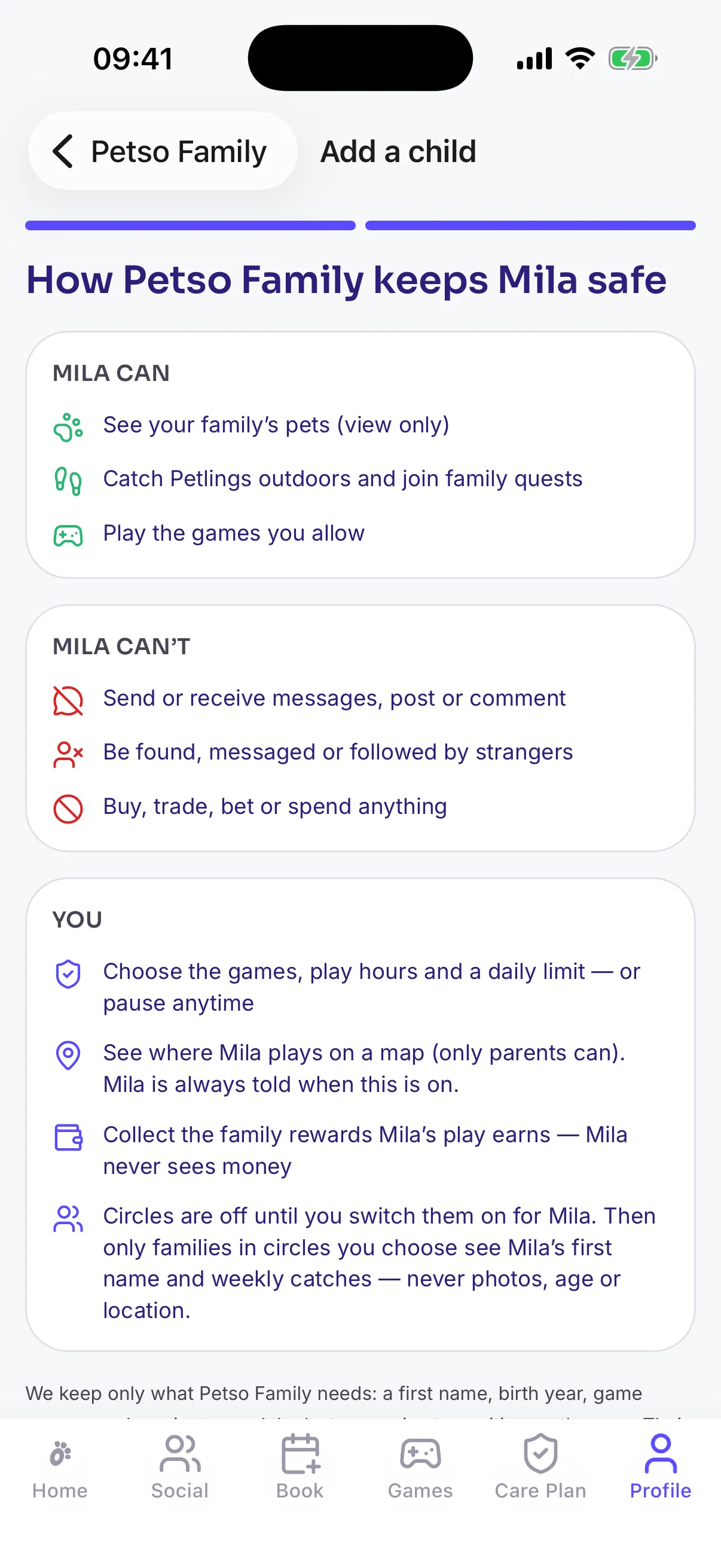
Read what's on and off
A short, plain-language summary shows exactly what your child can and can't do. Confirm you're their parent or guardian.
- 3
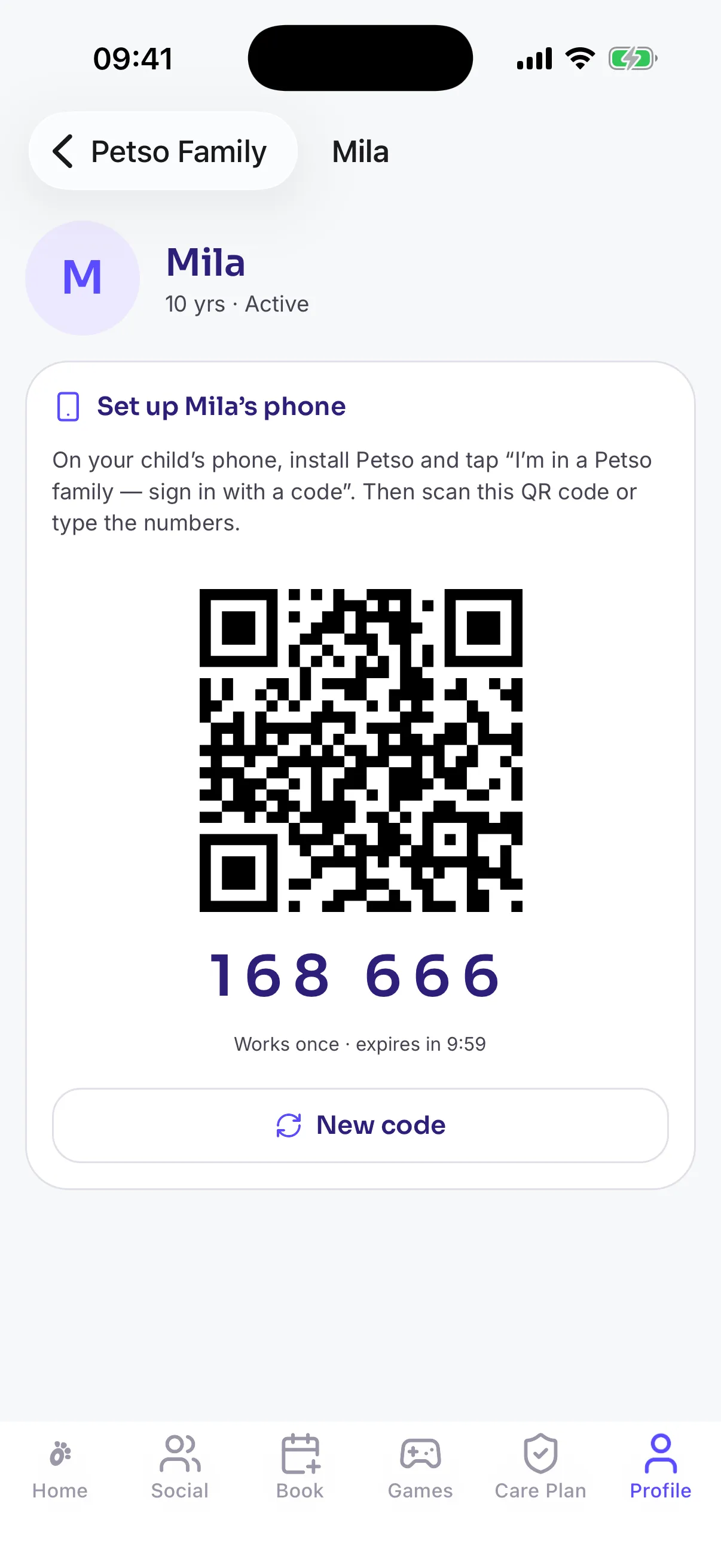
Pair their device
Show the pairing code and scan it from your child's phone or tablet. It works once, for ten minutes.
Exactly what your child can do
Everything a child can reach is on an approved list, checked on our servers. Anything new stays closed to children until we add it on purpose.
They can
- Catch and collect Petlings outdoors
- Hatch Petlings from the family's own pets
- See the family's pets
- Play Petling Fling, The Daily Track, Super Petso and Pet Adoption — the ones you turn on
- Challenge the family to showdowns and races
- Compete in the Family League and your Family Circles
- Report a place that doesn't feel safe
They can't
- Message or chat with anyone
- Post, comment or follow people
- See, earn into or spend money
- Trade, gift or bet
- Be found in searches or public leaderboards
- Get phone alerts outside their play hours
- Add a photo of themselves
What we keep, in plain words
Just a first name or nickname and a birth year. No email, no password, no photo.
Only the latest position, rounded to about 50 metres, for the family map. It's deleted after 30 days, or straight away if you turn sharing off.
You can export your child's data or delete their account from the Family screen at any time. Anything they'd earned is paid to you first.
Questions parents ask
Do we need a pet to use Petso?
No. Petso is for every family. Catching Petlings in real parks, the games, the weekly Family Quest and Family Circles all work without a pet. If you do have one, it hatches a Petling of its own.
Can I manage the family from my laptop?
Yes. Everything on the Family screen — adding a child, the map, controls, pairing codes, devices and the family pot — works in the Petso app and on app.petso.io.
Can two parents manage one family?
Yes. A family can have up to two parents, and both see the same map and controls.
What happens when I pause Petso?
Your child sees a paused screen until you turn it back on. They can still report an unsafe place.
How do Family Circles work?
A parent creates a circle and shares an invite link or code with other parents. Each child takes part only if you switch it on for them. Circles have up to 30 families, and other families see only a first name and weekly catches.
Can I sign my child out of a device?
Yes. The Family screen lists each child's devices, and you can sign out one or all of them.
Where are the full terms?
Petso Families is covered in section 3.4 of our Terms of Service and in the children's section of our Privacy Policy.
Your next walk is an adventure.
Download Petso, add your pet, and head outside. Free on iPhone and Android.
Or manage your family on the web →